
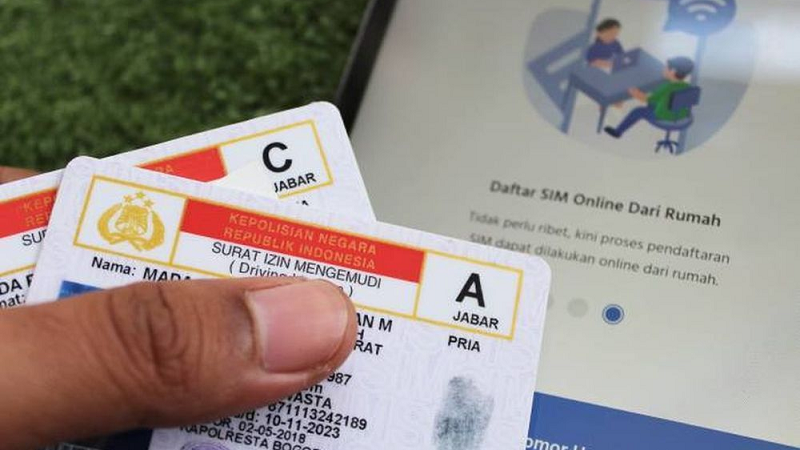
ZOAHARIAN.COM - Extending your driving license (SIM) is now more practical. People don't always have to come and queue for a long time at the Satpas office because the SIM renewal process can be done online through the official Korlantas Polri service.
This service is suitable for SIM owners whose validity period will soon expire and who want to manage the extension more practically. Even though it is done online, applicants still have to fulfill a number of requirements, including medical examinations and psychological tests.
How to Extend SIM Online
Following are the general steps to extend your driving license online:
Prepare the required documents
Applicants need to prepare an old, valid driver's license, KTP, health examination results and psychological test results according to the provisions.Download the National Police Traffic Corps Digital application
The application can be used to access SIM renewal services online.Create or log in to an account
Register your personal data according to the identity requested in the application. Make sure the data entered matches your KTP.Select SIM extension service
After logging in, select the SINAR (Precision National SIM) menu or the available SIM extension service.Complete the data and upload documents
Applicants are asked to fill in the data and upload the required documents, including photos and signatures according to the application provisions.Choose a delivery method
After all data is declared complete, the applicant can choose a method for collecting or sending the SIM if available in their area.Make payment
Payment of renewal fees is made via the method available in the application.Wait for the issuance process
After the application is processed and approved, the SIM will be issued according to the selected service mechanism.
Don't wait for the SIM to die
Vehicle owners should not delay renewal until their driver's license has expired. Extensions are basically carried out before the SIM validity period ends.
If a SIM has expired, the owner may be required to apply for a new SIM and follow the issuance procedures in accordance with applicable regulations.
Therefore, checking the SIM expiration date well in advance is an important step so that the renewal process is not hampered.
Note: Requirements, costs, delivery methods and service availability may change according to the policies of the National Police Traffic Corps. Make sure to use official applications and channels to avoid fraud or unofficial services.
Comment (0)
No comments yet. Be the first!
Leave a Comment